Features Billing and payments
Tuition that collects itself.
Set your fees once. ChildQix sends the statements, takes the payments and tells you what is still owed.
- Weekly, every two weeks, monthly and one-time fees
- Billing runs, credits, refunds and receipts
- Bank account and card payments online
- Autopay families set up themselves
- Reminders and late fees on your rules
- Split payers and year-end statements for taxes
STATEMENTS
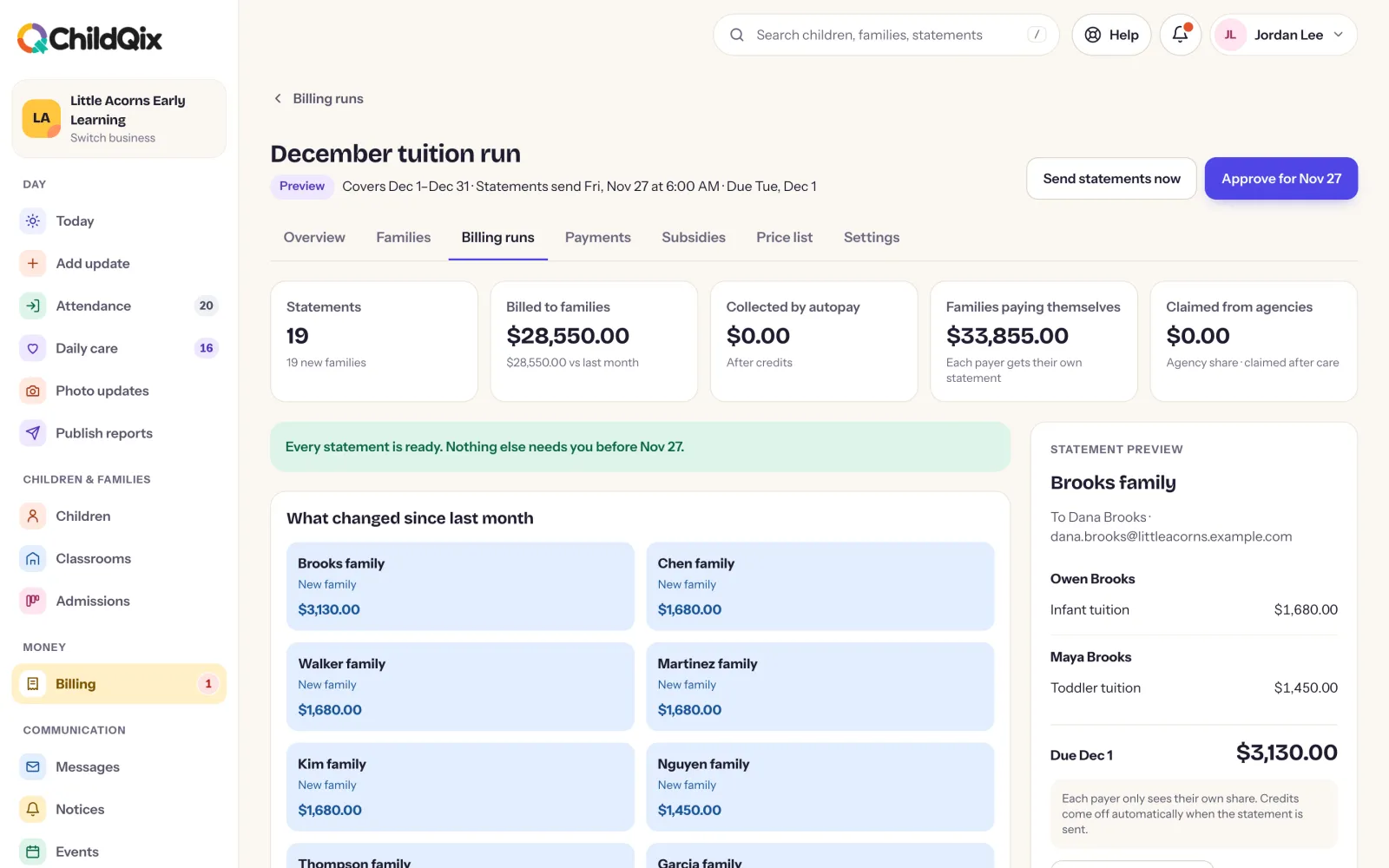
Billed on your schedule.
Give each child a fee plan and review the run before it goes out. Change a price ahead of time and it applies from the date you choose.
- Fee schedules, including by days booked each week
- Price changes scheduled ahead
- Credits, adjustments and refunds
- Your logo and numbering on every statement
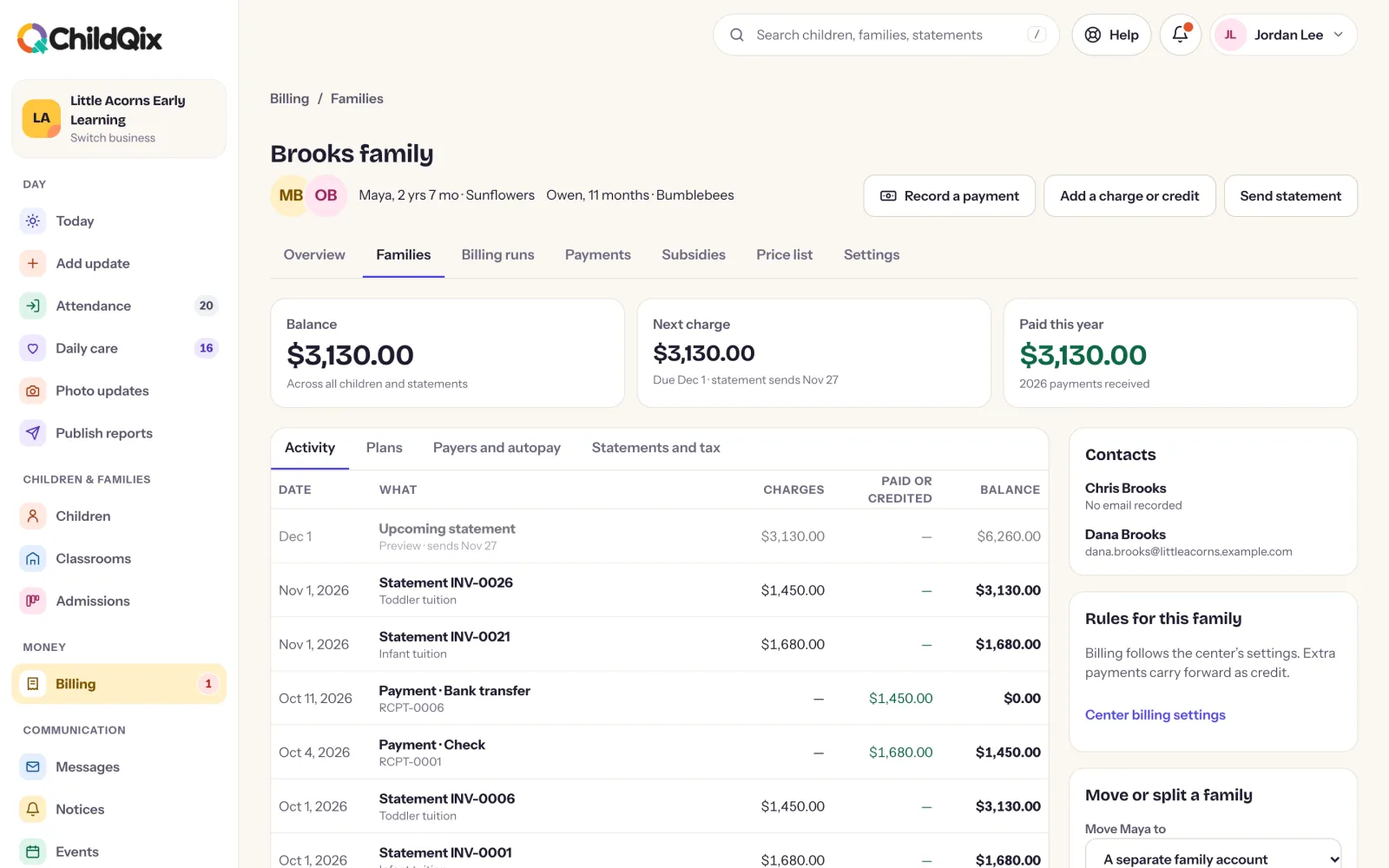
PAYMENTS
Families pay the way they prefer.
Turn on online payments and families pay by bank account, and by card if you allow it, in the app or from the email link. Cash, checks and transfers are recorded by your team.
- Saved payment methods and autopay
- Receipts sent when a payment lands
- A billing contact can pay without a login
- Split a family’s bill between payers
COLLECTIONS AND TAX TIME
Less chasing. Clean records.
Reminders go out on the steps you choose and late fees follow your rules. In January, families download a year-end statement for Form 2441 and dependent care FSA claims.
- Reminder steps before and after the due date
- Late fees added by your rules
- Every receipt as a PDF
- Year-end statements for each family
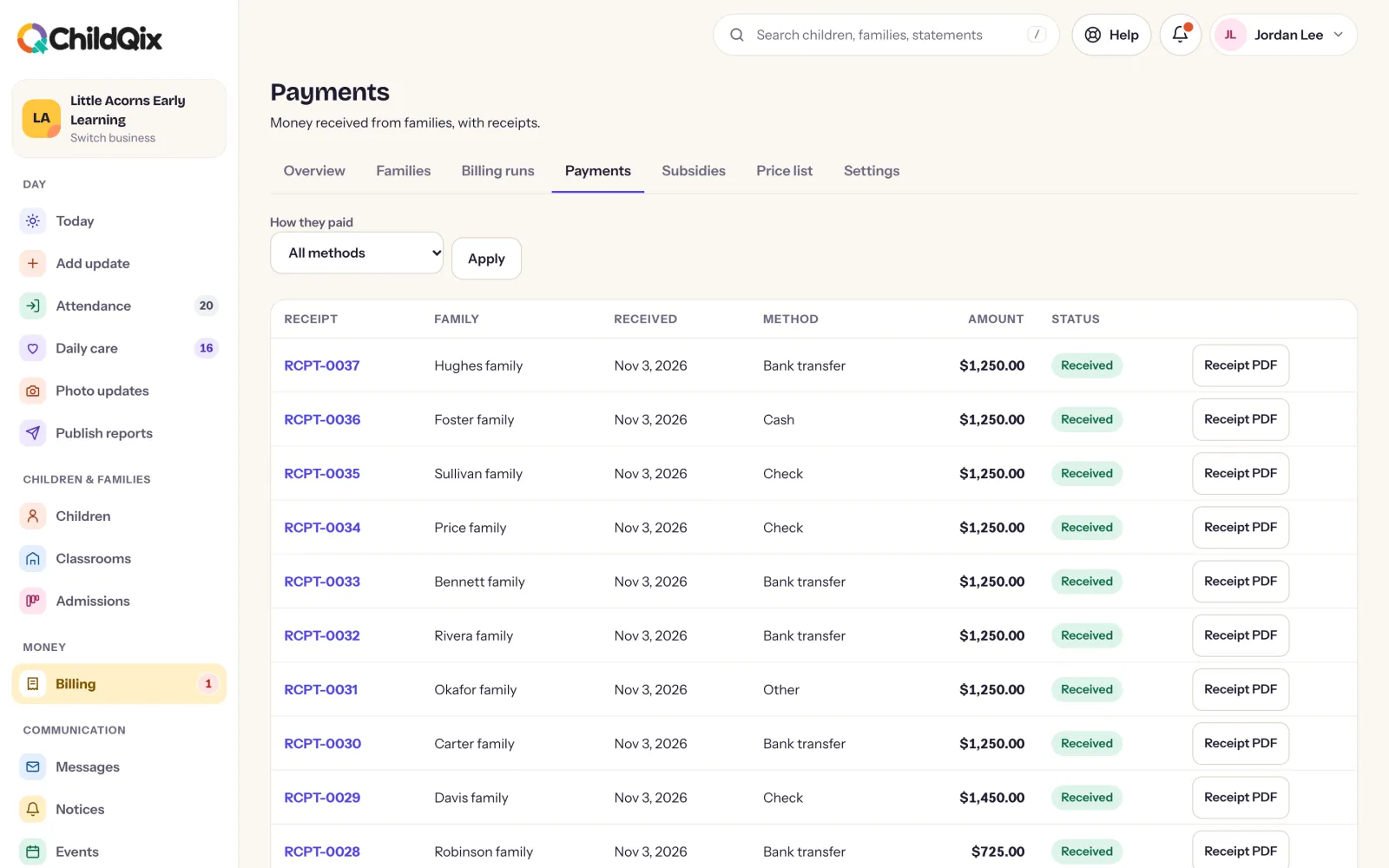
Screens show a demonstration center. Names are fictional.